Features & Functionality
Understanding call transcripts
Learn how call transcripts are generated, saved, and sent to your email to help you track conversations and improve your AI agent.
Read Article
Receive instant text message summaries of every call with key information and next steps. Learn how to enable and manage SMS notifications.
Receive instant text message summaries of every call, including key information and next steps.
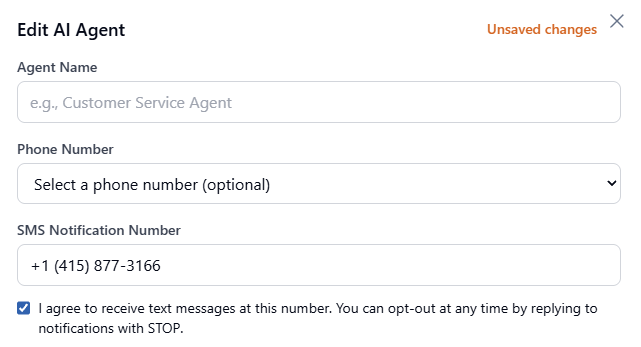
You can opt out of SMS notifications at any time using either method:
Can't find what you're looking for? Our support team is here to help.
Join thousands of businesses who never miss a customer call with Greet's AI phone receptionist.
Learn how call transcripts are generated, saved, and sent to your email to help you track conversations and improve your AI agent.
Access and listen to call recordings in your dashboard to review AI performance and follow up on customer conversations.